
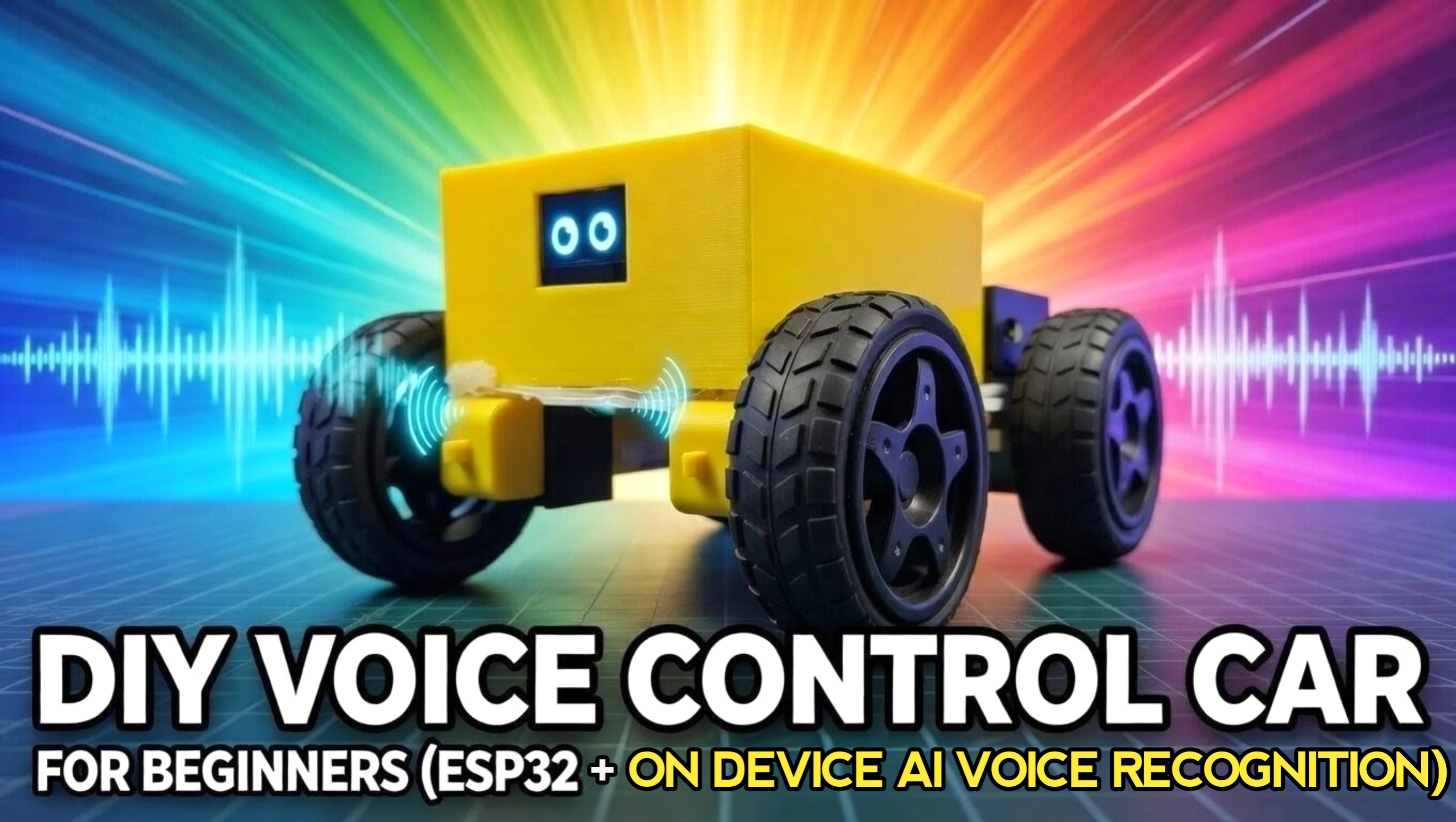
I Built a DIY Voice-Controlled Car That LISTENS to Me... NO PHONE or App Needed! (Cute Al Face)
Quick Navigation

In this project, we will build a voice-controlled robot car that can respond to simple spoken commands like forward, backward, left, right, and stop. Instead of using a remote control, you can simply talk to the robot and it will move accordingly.
The system is powered by an ESP32-S3 microcontroller, a digital I2S microphone for capturing voice commands, and an AI speech-to-text service that converts the recorded audio into text. Once the command is recognized, the ESP32 processes it and controls the motors through a motor driver module.
To make the robot more interactive, a small OLED display is added to the front of the car to show animated robot eyes that react while the robot listens or moves.
By the end of this tutorial, you will have a working AI-powered voice-controlled robot car that combines robotics, embedded programming, and speech recognition.
Before beginning, a huge shoutout to JLCMC for sponsoring.
Let's start building.
Supplies

Electronic Components Required:
- Seeed Studio XIAO ESP32-S3
- INMP441 I2S Digital Microphone Module
- 0.96" SSD1306 OLED Display (I2C, 128×64)
- L298N Dual H-Bridge Motor Driver Module
- 4× DC Gear Motors
- 4× Robot Wheels
- Robot Chassis (see step 1)
- Lithium Battery Pack (3.7V 300mah Li-Po Battery or 2 × 18650 battery)
- Jumper Wires (Male-to-Female / Female-to-Female)
- Breadboard
Step 1: CAD & 3D Printing

The body of the robot car is made using a few simple 3D printed parts. These parts hold the motors, wheels, and electronics securely while keeping the robot compact and clean looking.
The main printed components used in this project are:
- Car Chassis – This is the main frame of the robot where all components such as the motors, ESP32 board, and battery are mounted.
- Motor Clips – Used to hold the motors firmly in place on the chassis.
- Voice Control Car Body – The top enclosure that houses the electronics and gives the robot its final shape.
All parts were designed in ThinkerCAD and printed using PLA filament on a standard FDM 3D printer. After printing, lightly clean the parts if needed and make sure the motors and wheels fit properly before moving to the assembly step.
Once all the printed parts are ready, we can begin assembling the robot.
Step 2: Elevate Your Electronic Projects - JLCMC


JLCMC is your one-stop shop for all electronic manufacturing needs, offering an extensive catalog of nearly 600,000 SKUs that cover hardware, mechanical, electronic, and automation components. Their commitment to guaranteeing genuine products, rapid shipping (with most in-stock items dispatched within 24 hours), and competitive pricing truly sets them apart. In addition, their exceptional customer service ensures you always get exactly what you need to bring your projects to life.
For my next project, I’m planning to buy a timing belt from their Transmission Components section.
What I really like is how easy it is to customize the part. On the left side, you can select all the required options, and just below that, you get the complete specification and documentation, so you know exactly what you’re ordering.
JLCMC has recently** upgraded their new-user registration benefits,** increasing the value of the welcome coupon package to $123 in discount coupons + $10 Shipping Coupon. Whether you’re building DIY electronics, robotics, or mechanical projects, JLCMC has you covered with quality parts and fast delivery. Don’t miss out—visit https://jlcmc.com/?from=RL2 to explore their amazing range of products and grab your discount coupon today!
Step 3: Chassis Assembly

- Take the DC gear motors and solder two wires to the terminals of each motor. Make sure the connections are solid and the wires are long enough to reach the motor driver.
- Insert the motors into the 3D-printed motor clips so that the motor body fits tightly inside the holder.
- Place the motor clips (with the motors inside) into the motor slots on the chassis. Ensure the motor shafts are facing outward where the wheels will be mounted.
- Apply a small amount of hot glue around the motor clips to secure them firmly to the chassis.
- Attach the wheels onto the motor shafts and press them firmly so they sit tightly on the motors.
- Mount the breadboard onto the chassis using double-sided tape. Press it down properly so it stays fixed.
- Place the motor driver module on one end of the breadboard and secure it using a small amount of hot glue.
- Finally, insert the motor wires into the output terminals of the motor driver module and tighten the terminal screws to hold the wires in place.
Step 4: Circuit Connection


Now let’s connect all the electronic components according to the circuit diagram.
1. OLED Display Connection (I2C)
Connect the 0.96" SSD1306 OLED display to the XIAO ESP32-S3 using the I2C interface.
- OLED → XIAO ESP32-S3
- VCC → 3.3V
- GND → GND
- SCL → D5
- SDA → D4
Make sure the OLED is powered with 3.3V, since the XIAO ESP32-S3 operates on 3.3V logic.
2. I2S Microphone Connection
Next, connect the I2S microphone module to the ESP32-S3. This microphone will capture the voice commands.
- I2S MIC → XIAO ESP32-S3
- GND → GND
- VDD → 3.3V
- SD → D2
- SCK → D3
- WS → D1
- L/R → 3.3V
Setting L/R to 3.3V selects the right audio channel.
3. Motor Driver Connection
Now connect the L298N motor driver to the ESP32-S3. These pins will control the speed and direction of the motors.
- L298N → XIAO ESP32-S3
- ENA → D6
- IN1 → D7
- IN2 → D8
- ENB → D9
- IN3 → D10
- IN4 → D0
The motor wires that were soldered earlier should already be connected to the output terminals of the L298N motor driver.
4. Power Connections
The XIAO ESP32-S3 is powered using a 3.7V LiPo battery connected directly to the battery connector on the board.
Since the XIAO ESP32-S3 includes built-in battery management, it can safely power the system and also be charged through the USB-C port when needed.
The motor driver receives power from the external battery (2 × 18650 battery) system, and the motors are driven through the L298N module.
Important: Make sure the GND of the ESP32-S3, motor driver, and all other modules are connected together so the entire circuit shares a common ground.
Once all the connections are complete, double-check the wiring before powering the system. After verifying everything, we can move on to uploading the code in the next step.
Step 5: Code & Setup


Now we will upload the program to the Seeed Studio XIAO ESP32-S3 so the robot can listen to voice commands and control the motors.
1. Install Arduino IDE and ESP32 Board Package
- Install the latest version of Arduino IDE on your computer.
- Open Arduino IDE and install the ESP32 board package:
- Go to File → Preferences
- In Additional Board Manager URLs, add:
https://raw.githubusercontent.com/espressif/arduino-esp32/gh-pages/package_esp32_index.json
- Then go to:
- Tools → Board → Boards Manager
- Search for ESP32 and install the ESP32 board package.
2. Select the Board and Port
- Open Arduino IDE and configure the board.
- Go to:
- Tools → Board → ESP32 Arduino → XIAO ESP32S3
- Then select the correct COM port:
- Tools → Port → Select the port connected to your XIAO ESP32-S3
3. Install Required Libraries
- Install the following libraries from the Arduino Library Manager.
- Go to Sketch → Include Library → Manage Libraries and install:
- Adafruit GFX
- Adafruit SSD1306
- ArduinoJson
- FluxGarage RoboEyes
- These libraries are used for the OLED display, JSON parsing, and animated robot eyes.
4. Copy the Project Code
/*
 * ============================================================
 *  Voice-Controlled Robot with Animated OLED Eyes
 *  Author    : Shahbaz Hashmi Ansari
 *  Copyright : Roboattic Lab — All Rights Reserved
 * ============================================================
 *
 */

#include <WiFi.h>
#include <HTTPClient.h>
#include <ArduinoJson.h>

#include <Wire.h>
#include <Adafruit_GFX.h>
#include <Adafruit_SSD1306.h>
#include <FluxGarage_RoboEyes.h>

#define SCREEN_WIDTH 128
#define SCREEN_HEIGHT 64
#define OLED_RESET -1
Adafruit_SSD1306 display(SCREEN_WIDTH, SCREEN_HEIGHT, &Wire, OLED_RESET);

RoboEyes<Adafruit_SSD1306> roboEyes(display);


// --- WiFi Credentials ---
const char* ssid = "***********";
const char* password = "**********";


// --- Pin Assignments ---
#define LED 21

#define LED_ON()  digitalWrite(LED, LOW)
#define LED_OFF() digitalWrite(LED, HIGH)


// --- L298N Motor Driver Pins (Seeed XIAO ESP32-S3) ---
#define ENA       43
#define MOTOR_IN1 44
#define MOTOR_IN2 7
#define ENB       8
#define MOTOR_IN3 9
#define MOTOR_IN4 1

#define MOTOR_PWM_FREQ 1000
#define MOTOR_PWM_RES  8

int motor_speed = 180;

#define MOTOR_MOVE_DURATION 2000


// --- PSRAM Audio Buffer ---
uint8_t* psram_audio_buffer   = NULL;
size_t   psram_audio_size     = 0;
size_t   psram_audio_capacity = 0;

#define PSRAM_AUDIO_MAX_SIZE (512 * 1024)


// --- Continuous Listening Settings ---
#define RECORD_DURATION_MS 5000


// --- ElevenLabs API ---
const char* elevenlabs_api_key = "API_KEY HERE";
const char* elevenlabs_stt_url = "https://api.elevenlabs.io/v1/speech-to-text";


// --- Function Declarations ---
bool   I2S_Record_Init();
bool   Record_Start(const char* filename);
bool   Record_Available(const char* filename, float* audiolength_sec);
String SpeechToText_ElevenLabs(const char* filename);
void   motor_init();
void   motor_forward();
void   motor_backward();
void   motor_left();
void   motor_right();
void   motor_stop();
void   process_voice_command(String transcription);


// ==============================================================
//                     Motor Control
// ==============================================================

void motor_init() {
  pinMode(MOTOR_IN1, OUTPUT);
  pinMode(MOTOR_IN2, OUTPUT);
  pinMode(MOTOR_IN3, OUTPUT);
  pinMode(MOTOR_IN4, OUTPUT);
  pinMode(ENA, OUTPUT);
  pinMode(ENB, OUTPUT);
  digitalWrite(MOTOR_IN1, LOW);
  digitalWrite(MOTOR_IN2, LOW);
  digitalWrite(MOTOR_IN3, LOW);
  digitalWrite(MOTOR_IN4, LOW);
  analogWrite(ENA, 0);
  analogWrite(ENB, 0);

  Serial.println("> Motors initialized and STOPPED. Default speed: " + String(motor_speed));
}

void motor_forward() {
  Serial.println("> MOTOR: Moving FORWARD (speed=" + String(motor_speed) + ")");

  roboEyes.setMood(HAPPY);
  roboEyes.setPosition(DEFAULT);

  digitalWrite(MOTOR_IN1, HIGH);
  digitalWrite(MOTOR_IN2, LOW);
  digitalWrite(MOTOR_IN3, HIGH);
  digitalWrite(MOTOR_IN4, LOW);
  analogWrite(ENA, motor_speed);
  analogWrite(ENB, motor_speed);

  uint32_t move_start = millis();
  while (millis() - move_start < MOTOR_MOVE_DURATION) {
    roboEyes.update();
    delay(5);
  }

  motor_stop();
}

void motor_backward() {
  Serial.println("> MOTOR: Moving BACKWARD (speed=" + String(motor_speed) + ")");

  roboEyes.setMood(TIRED);
  roboEyes.setPosition(DEFAULT);

  digitalWrite(MOTOR_IN1, LOW);
  digitalWrite(MOTOR_IN2, HIGH);
  digitalWrite(MOTOR_IN3, LOW);
  digitalWrite(MOTOR_IN4, HIGH);
  analogWrite(ENA, motor_speed);
  analogWrite(ENB, motor_speed);

  uint32_t move_start = millis();
  while (millis() - move_start < MOTOR_MOVE_DURATION) {
    roboEyes.update();
    delay(5);
  }

  motor_stop();
}

void motor_left() {
  Serial.println("> MOTOR: Turning LEFT (speed=" + String(motor_speed) + ")");

  roboEyes.setMood(ANGRY);
  roboEyes.setPosition(W);

  digitalWrite(MOTOR_IN1, HIGH);
  digitalWrite(MOTOR_IN2, LOW);
  digitalWrite(MOTOR_IN3, LOW);
  digitalWrite(MOTOR_IN4, HIGH);
  analogWrite(ENA, motor_speed);
  analogWrite(ENB, motor_speed);

  uint32_t move_start = millis();
  while (millis() - move_start < MOTOR_MOVE_DURATION) {
    roboEyes.update();
    delay(5);
  }

  motor_stop();
}

void motor_right() {
  Serial.println("> MOTOR: Turning RIGHT (speed=" + String(motor_speed) + ")");

  roboEyes.setMood(ANGRY);
  roboEyes.setPosition(E);

  digitalWrite(MOTOR_IN1, LOW);
  digitalWrite(MOTOR_IN2, HIGH);
  digitalWrite(MOTOR_IN3, HIGH);
  digitalWrite(MOTOR_IN4, LOW);
  analogWrite(ENA, motor_speed);
  analogWrite(ENB, motor_speed);

  uint32_t move_start = millis();
  while (millis() - move_start < MOTOR_MOVE_DURATION) {
    roboEyes.update();
    delay(5);
  }

  motor_stop();
}

void motor_stop() {
  digitalWrite(MOTOR_IN1, LOW);
  digitalWrite(MOTOR_IN2, LOW);
  digitalWrite(MOTOR_IN3, LOW);
  digitalWrite(MOTOR_IN4, LOW);
  analogWrite(ENA, 0);
  analogWrite(ENB, 0);

  roboEyes.setMood(DEFAULT);
  roboEyes.setPosition(DEFAULT);
  roboEyes.update();
}


// --- Strip punctuation and convert to lowercase for reliable command matching ---
String clean_text(String text) {
  String cleaned = "";
  for (int i = 0; i < (int)text.length(); i++) {
    char c = text.charAt(i);
    if (isAlpha(c) || isDigit(c) || c == ' ') {
      cleaned += (char)tolower(c);
    }
  }
  String result = "";
  bool last_was_space = false;
  for (int i = 0; i < (int)cleaned.length(); i++) {
    if (cleaned.charAt(i) == ' ') {
      if (!last_was_space && result.length() > 0) {
        result += ' ';
        last_was_space = true;
      }
    } else {
      result += cleaned.charAt(i);
      last_was_space = false;
    }
  }
  result.trim();
  return result;
}

// --- Extract a number from text — supports digits and English words ---
int extract_number(String text) {
  String num_str = "";
  bool found_digit = false;
  for (int i = 0; i < (int)text.length(); i++) {
    if (isDigit(text.charAt(i))) {
      num_str += text.charAt(i);
      found_digit = true;
    } else if (found_digit) {
      break;
    }
  }
  if (num_str.length() > 0) {
    return num_str.toInt();
  }

  int current = 0;
  bool found_word_num = false;

  int start = 0;
  while (start < text.length()) {
    int space_idx = text.indexOf(' ', start);
    if (space_idx == -1) space_idx = text.length();
    String word = text.substring(start, space_idx);

    int val = -1;
    if (word == "zero") val = 0;
    else if (word == "one") val = 1;
    else if (word == "two" || word == "to" || word == "too") val = 2;
    else if (word == "three") val = 3;
    else if (word == "four" || word == "for") val = 4;
    else if (word == "five") val = 5;
    else if (word == "six") val = 6;
    else if (word == "seven") val = 7;
    else if (word == "eight") val = 8;
    else if (word == "nine") val = 9;
    else if (word == "ten") val = 10;
    else if (word == "eleven") val = 11;
    else if (word == "twelve") val = 12;
    else if (word == "thirteen") val = 13;
    else if (word == "fourteen") val = 14;
    else if (word == "fifteen") val = 15;
    else if (word == "sixteen") val = 16;
    else if (word == "seventeen") val = 17;
    else if (word == "eighteen") val = 18;
    else if (word == "nineteen") val = 19;
    else if (word == "twenty") val = 20;
    else if (word == "thirty") val = 30;
    else if (word == "forty" || word == "fourty") val = 40;
    else if (word == "fifty") val = 50;
    else if (word == "sixty") val = 60;
    else if (word == "seventy") val = 70;
    else if (word == "eighty") val = 80;
    else if (word == "ninety") val = 90;
    else if (word == "hundred") val = 100;

    if (val != -1) {
      found_word_num = true;
      if (val == 100) {
        if (current == 0) current = 1;
        current *= 100;
      } else {
        current += val;
      }
    } else {
      if (found_word_num) break;
    }
    start = space_idx + 1;
  }

  if (found_word_num) {
    return current;
  }

  return -1;
}

// --- Parse transcription and execute the appropriate motor command ---
void process_voice_command(String transcription) {
  if (transcription.length() == 0) return;

  String cmd = clean_text(transcription);
  Serial.println("> Command (cleaned): [" + cmd + "]");

  if (cmd.indexOf("forward") >= 0) {
    motor_forward();
    return;
  }
  if (cmd.indexOf("backward") >= 0 || cmd.indexOf("back") >= 0 || cmd.indexOf("reverse") >= 0) {
    motor_backward();
    return;
  }
  if (cmd.indexOf("left") >= 0) {
    motor_left();
    return;
  }
  if (cmd.indexOf("right") >= 0) {
    motor_right();
    return;
  }
  if (cmd.indexOf("stop") >= 0) {
    motor_stop();
    Serial.println("> MOTOR: STOPPED");
    return;
  }

  if (cmd.indexOf("speed") >= 0) {
    roboEyes.setMood(HAPPY);
    roboEyes.setPosition(DEFAULT);

    uint32_t move_start = millis();
    while (millis() - move_start < 1000) {
      roboEyes.update();
      delay(5);
    }

    int new_speed = extract_number(cmd);
    if (new_speed >= 0 && new_speed <= 255) {
      motor_speed = new_speed;
      Serial.println("> MOTOR: Speed set to " + String(motor_speed));
    } else if (new_speed > 255) {
      motor_speed = 255;
      Serial.println("> MOTOR: Speed clamped to max 255");
    } else {
      Serial.println("> MOTOR: Could not parse speed value from command");
    }
    return;
  }

  Serial.println("> No motor command detected.");
}


// ==============================================================
//                     I2S Audio Recording
// ==============================================================

#include "driver/i2s_std.h"

#ifndef DEBUG
#define DEBUG true
#define DebugPrint(x)   ; if (DEBUG) { Serial.print(x); }
#define DebugPrintln(x) ; if (DEBUG) { Serial.println(x); }
#endif

// --- I2S Pin Assignments ---
#define I2S_WS  2
#define I2S_SD  4
#define I2S_SCK 3

#define SAMPLE_RATE      16000
#define BITS_PER_SAMPLE  16
#define GAIN_BOOSTER_I2S 4

// Set to true if L/R pin is tied to 3.3V, false if tied to GND
#define MIC_CHANNEL_RIGHT true

i2s_chan_handle_t rx_handle;

struct WAV_HEADER {
  char  riff[4]        = { 'R', 'I', 'F', 'F' };
  long  flength        = 0;
  char  wave[4]        = { 'W', 'A', 'V', 'E' };
  char  fmt[4]         = { 'f', 'm', 't', ' ' };
  long  chunk_size     = 16;
  short format_tag     = 1;
  short num_chans      = 1;
  long  srate          = SAMPLE_RATE;
  long  bytes_per_sec  = SAMPLE_RATE * (BITS_PER_SAMPLE / 8);
  short bytes_per_samp = (BITS_PER_SAMPLE / 8);
  short bits_per_samp  = BITS_PER_SAMPLE;
  char  dat[4]         = { 'd', 'a', 't', 'a' };
  long  dlength        = 0;
} myWAV_Header;

bool flg_is_recording     = false;
bool flg_I2S_initialized  = false;


bool I2S_Record_Init() {
  i2s_chan_config_t chan_cfg = I2S_CHANNEL_DEFAULT_CONFIG(I2S_NUM_AUTO, I2S_ROLE_MASTER);
  i2s_new_channel(&chan_cfg, NULL, &rx_handle);

  i2s_std_config_t std_cfg = {
    .clk_cfg  = I2S_STD_CLK_DEFAULT_CONFIG(SAMPLE_RATE),
    .slot_cfg = I2S_STD_PHILIPS_SLOT_DEFAULT_CONFIG(I2S_DATA_BIT_WIDTH_16BIT, I2S_SLOT_MODE_STEREO),
    .gpio_cfg = {
      .mclk  = I2S_GPIO_UNUSED,
      .bclk  = (gpio_num_t)I2S_SCK,
      .ws    = (gpio_num_t)I2S_WS,
      .dout  = I2S_GPIO_UNUSED,
      .din   = (gpio_num_t)I2S_SD,
      .invert_flags = {
        .mclk_inv = false,
        .bclk_inv = false,
        .ws_inv   = false,
      },
    },
  };

  i2s_channel_init_std_mode(rx_handle, &std_cfg);
  i2s_channel_enable(rx_handle);

  flg_I2S_initialized = true;

  // Flush initial garbage samples
  int16_t dummy_buf[1024];
  size_t  dummy_read = 0;
  for (int i = 0; i < 10; i++) {
    i2s_channel_read(rx_handle, dummy_buf, sizeof(dummy_buf), &dummy_read, portMAX_DELAY);
  }

  // Microphone diagnostic test
  int16_t test_buf[1024];
  size_t  test_read = 0;
  i2s_channel_read(rx_handle, test_buf, sizeof(test_buf), &test_read, portMAX_DELAY);

  int total_stereo_samples = test_read / 2;
  int frames               = total_stereo_samples / 2;

  int   left_nonzero = 0;
  int16_t left_max   = 0;
  int   left_clipped = 0;
  for (int i = 0; i < frames; i++) {
    int16_t s = test_buf[i * 2];
    if (s != 0) left_nonzero++;
    if (abs(s) > abs(left_max)) left_max = s;
    if (s == 32767 || s == -32768) left_clipped++;
  }

  int   right_nonzero = 0;
  int16_t right_max   = 0;
  int   right_clipped = 0;
  for (int i = 0; i < frames; i++) {
    int16_t s = test_buf[i * 2 + 1];
    if (s != 0) right_nonzero++;
    if (abs(s) > abs(right_max)) right_max = s;
    if (s == 32767 || s == -32768) right_clipped++;
  }

  Serial.println("> I2S initialized and flushed.");
  Serial.println("> MIC TEST (" + String(frames) + " stereo frames):");
  Serial.println(">   LEFT  ch: " + String(left_nonzero) + " non-zero, max=" + String(left_max) + ", clipped=" + String(left_clipped));
  Serial.println(">   RIGHT ch: " + String(right_nonzero) + " non-zero, max=" + String(right_max) + ", clipped=" + String(right_clipped));
  Serial.println(">   Using: " + String(MIC_CHANNEL_RIGHT ? "RIGHT" : "LEFT") + " channel");

  Serial.print(">   First 8 stereo frames (L,R): ");
  for (int i = 0; i < 8 && i < frames; i++) {
    Serial.print("[" + String(test_buf[i * 2]) + "," + String(test_buf[i * 2 + 1]) + "] ");
  }
  Serial.println();

  return flg_I2S_initialized;
}


bool Record_Start(const char* audio_filename) {
  if (!flg_I2S_initialized) {
    Serial.println("ERROR in Record_Start() - I2S not initialized, call 'I2S_Record_Init()' missed");
    return false;
  }

  if (!flg_is_recording) {
    flg_is_recording  = true;
    psram_audio_size  = 0;

    memcpy(psram_audio_buffer, (uint8_t*)&myWAV_Header, 44);
    psram_audio_size = 44;

    DebugPrintln("\n> WAV Header generated in PSRAM, Audio Recording started ... ");
    return true;
  }

  if (flg_is_recording) {
    int16_t stereo_buffer[2048];
    size_t  bytes_read = 0;
    i2s_channel_read(rx_handle, stereo_buffer, sizeof(stereo_buffer), &bytes_read, portMAX_DELAY);

    int total_samples  = bytes_read / 2;
    int stereo_frames  = total_samples / 2;

    int16_t mono_buffer[1024];
    for (int i = 0; i < stereo_frames && i < 1024; i++) {
      if (MIC_CHANNEL_RIGHT)
        mono_buffer[i] = stereo_buffer[i * 2 + 1];
      else
        mono_buffer[i] = stereo_buffer[i * 2];
    }

    if (GAIN_BOOSTER_I2S > 1 && GAIN_BOOSTER_I2S <= 64) {
      for (int i = 0; i < stereo_frames && i < 1024; ++i) {
        int32_t amplified = (int32_t)mono_buffer[i] * GAIN_BOOSTER_I2S;
        if (amplified > 32767)  amplified = 32767;
        if (amplified < -32768) amplified = -32768;
        mono_buffer[i] = (int16_t)amplified;
      }
    }

    size_t write_bytes = stereo_frames * 2;
    if (write_bytes > 2048) write_bytes = 2048;

    if ((psram_audio_size + write_bytes) <= psram_audio_capacity) {
      memcpy(psram_audio_buffer + psram_audio_size, (uint8_t*)mono_buffer, write_bytes);
      psram_audio_size += write_bytes;
      return true;
    } else {
      Serial.println("ERROR in Record_Start() - PSRAM buffer full!");
      return false;
    }
  }
  return false;
}


bool Record_Available(const char* audio_filename, float* audiolength_sec) {
  if (!flg_is_recording)    return false;
  if (!flg_I2S_initialized) return false;

  if (flg_is_recording) {
    long filesize          = psram_audio_size;
    myWAV_Header.flength   = filesize;
    myWAV_Header.dlength   = (filesize - 44);
    memcpy(psram_audio_buffer, (uint8_t*)&myWAV_Header, 44);

    flg_is_recording = false;

    *audiolength_sec = (float)(filesize - 44) / (SAMPLE_RATE * BITS_PER_SAMPLE / 8);

    DebugPrintln("> ... Done. Audio Recording finished.");
    DebugPrint("> AUDIO in PSRAM, size [bytes]: " + (String)filesize);
    DebugPrintln(", length [sec]: " + (String)*audiolength_sec);

    if (filesize > 76) {
      DebugPrint("> First 16 mono samples (16bit signed): ");
      int16_t* samples = (int16_t*)(psram_audio_buffer + 44);
      for (int i = 0; i < 16; i++) {
        DebugPrint((String)samples[i] + " ");
      }
      DebugPrintln("");
    }

    return true;
  }
  return false;
}


// ==============================================================
//                  ElevenLabs Speech-to-Text
// ==============================================================

String SpeechToText_ElevenLabs(const char* audio_filename) {
  uint32_t t_start = millis();

  if (WiFi.status() != WL_CONNECTED) {
    Serial.println("ERROR - WiFi not connected, cannot send to ElevenLabs STT");
    return ("");
  }

  size_t audio_size = psram_audio_size;
  if (audio_size == 0) {
    Serial.println("ERROR - No audio data in PSRAM");
    return ("");
  }
  if (audio_size > 500000) {
    Serial.println("ERROR - Audio data too large for STT request (>500KB)");
    return ("");
  }
  DebugPrintln("> Audio data in PSRAM, size: " + (String)audio_size);

  uint32_t t_data_ready = millis();

  HTTPClient http;
  if (!http.begin(elevenlabs_stt_url)) {
    Serial.println("ERROR - Failed to initialize HTTP connection to ElevenLabs");
    return ("");
  }

  http.setTimeout(30000);
  http.setConnectTimeout(10000);
  http.addHeader("xi-api-key", elevenlabs_api_key);

  String boundary = "----WebKitFormBoundary7MA4YWxkTrZu0gW";
  http.addHeader("Content-Type", "multipart/form-data; boundary=" + boundary);

  String body_start = "--" + boundary + "\r\n";
  body_start += "Content-Disposition: form-data; name=\"model_id\"\r\n\r\n";
  body_start += "scribe_v2\r\n";
  body_start += "--" + boundary + "\r\n";
  body_start += "Content-Disposition: form-data; name=\"language_code\"\r\n\r\n";
  body_start += "eng\r\n";
  body_start += "--" + boundary + "\r\n";
  body_start += "Content-Disposition: form-data; name=\"file\"; filename=\"audio.wav\"\r\n";
  body_start += "Content-Type: audio/wav\r\n\r\n";

  String body_end = "\r\n--" + boundary + "--\r\n";

  size_t total_size = body_start.length() + audio_size + body_end.length();

  uint8_t* complete_body = (uint8_t*)malloc(total_size);
  if (!complete_body) {
    Serial.println("ERROR - Failed to allocate memory for HTTP body!");
    http.end();
    return ("");
  }

  memcpy(complete_body, body_start.c_str(), body_start.length());
  memcpy(complete_body + body_start.length(), psram_audio_buffer, audio_size);
  memcpy(complete_body + body_start.length() + audio_size, body_end.c_str(), body_end.length());

  uint32_t t_request_prepared = millis();

  DebugPrintln("> POST Request to ElevenLabs STT, sending " + String(total_size) + " bytes ...");

  uint32_t t_request_sent      = millis();
  int httpResponseCode          = http.POST(complete_body, total_size);
  uint32_t t_response_received = millis();

  free(complete_body);

  String transcription = "";
  String response      = http.getString();

  uint32_t t_response_parsed = millis();

  if (httpResponseCode == 200) {
    DebugPrintln("> HTTP 200 OK");
    DynamicJsonDocument doc(2048);
    if (deserializeJson(doc, response) == DeserializationError::Ok) {
      if (doc.containsKey("text")) {
        transcription = doc["text"].as<String>();
      }
    } else {
      Serial.println("ERROR - Failed to parse ElevenLabs JSON response");
    }
  } else {
    Serial.printf("ERROR - HTTP Response Code: %d\n", httpResponseCode);
    Serial.println("Response: " + response);
  }

  http.end();

  DebugPrintln("---------------------------------------------------");
  DebugPrintln("-> Audio data size [bytes]: " + (String)audio_size);
  DebugPrintln("-> Latency Data Ready [t_data_ready]:          " + (String)((float)((t_data_ready - t_start)) / 1000) + " sec");
  DebugPrintln("-> Latency Request Preparation:                " + (String)((float)((t_request_prepared - t_data_ready)) / 1000) + " sec");
  DebugPrintln("-> Latency ElevenLabs STT Response:            " + (String)((float)((t_response_received - t_request_sent)) / 1000) + " sec");
  DebugPrintln("-> Latency Response Parsing:                   " + (String)((float)((t_response_parsed - t_response_received)) / 1000) + " sec");
  DebugPrintln("=> TOTAL Duration [sec]: ..................... " + (String)((float)((t_response_parsed - t_start)) / 1000));
  DebugPrintln("=> Server response length [bytes]: " + (String)response.length());
  DebugPrintln("=> Transcription: [" + transcription + "]");
  DebugPrintln("---------------------------------------------------\n");

  return transcription;
}


// ==============================================================
//                        Setup & Loop
// ==============================================================

void setup() {
  motor_init();
  Serial.begin(115200);
  Serial.setTimeout(100);

  pinMode(LED, OUTPUT);
  LED_OFF();

  delay(500);
  Wire.setPins(5, 6);
  Wire.begin();

  bool display_found = false;
  if (display.begin(SSD1306_SWITCHCAPVCC, 0x3C)) {
    display_found = true;
  } else if (display.begin(SSD1306_SWITCHCAPVCC, 0x3D)) {
    display_found = true;
  }

  if (!display_found) {
    Serial.println(F("\nCRITICAL ERROR: OLED Display Not Found!"));
    Serial.println(F("Check I2C wiring: SDA to D4(GPIO5) & SCL to D5(GPIO6)"));
    while (true) { delay(100); }
  }

  display.clearDisplay();
  display.display();

  roboEyes.begin(SCREEN_WIDTH, SCREEN_HEIGHT, 100);
  roboEyes.setAutoblinker(true, 3, 2);
  roboEyes.setIdleMode(true, 2, 2);
  roboEyes.setMood(DEFAULT);
  roboEyes.setPosition(DEFAULT);

  Serial.println(VERSION);

  if (psramFound()) {
    psram_audio_buffer = (uint8_t*)ps_malloc(PSRAM_AUDIO_MAX_SIZE);
    if (psram_audio_buffer) {
      psram_audio_capacity = PSRAM_AUDIO_MAX_SIZE;
      Serial.println("PSRAM initialized. Allocated " + String(PSRAM_AUDIO_MAX_SIZE) + " bytes for audio buffer.");
    } else {
      Serial.println("ERROR - PSRAM allocation failed!");
      return;
    }
  } else {
    Serial.println("ERROR - No PSRAM found! XIAO ESP32-S3 PSRAM required.");
    return;
  }

  WiFi.mode(WIFI_STA);
  WiFi.begin(ssid, password);
  Serial.print("Connecting WLAN ");
  while (WiFi.status() != WL_CONNECTED) {
    Serial.print(".");
    roboEyes.update();
    delay(500);
  }
  Serial.println(". Done, device connected.");
  LED_OFF();

  I2S_Record_Init();

  Serial.println("> Continuous listening mode: recording " + String(RECORD_DURATION_MS / 1000) + " sec chunks, transcribing each ...");
  Serial.println("> Voice commands: 'go forward/backward/left/right/stop'");
  Serial.println("> Speed command:  'make speed 150' (0-255)");
}


void loop() {

  roboEyes.setMood(DEFAULT);
  roboEyes.setPosition(N);
  roboEyes.update();

  // --- Step 1: Record audio for configured duration ---
  LED_ON();
  motor_stop();

  uint32_t record_start = millis();

  Record_Start("PSRAM_AUDIO");

  while (millis() - record_start < RECORD_DURATION_MS) {
    Record_Start("PSRAM_AUDIO");
    roboEyes.update();

    display.setTextSize(1);
    display.setTextColor(SSD1306_WHITE);
    int16_t  x1, y1;
    uint16_t tw, th;
    display.getTextBounds("Listening...", 0, 0, &x1, &y1, &tw, &th);
    int textX = (SCREEN_WIDTH - tw) / 2;
    int textY = SCREEN_HEIGHT - th - 2;
    display.fillRect(textX - 2, textY - 1, tw + 4, th + 2, SSD1306_BLACK);
    display.setCursor(textX, textY);
    display.print("Listening...");
    display.display();

    delay(5);
  }

  float recorded_seconds = 0;
  Record_Available("PSRAM_AUDIO", &recorded_seconds);

  LED_OFF();

  // --- Step 2: Transcribe audio via ElevenLabs ---
  if (recorded_seconds > 0.4) {
    roboEyes.setMood(TIRED);
    roboEyes.setPosition(DEFAULT);
    roboEyes.update();

    String transcription = SpeechToText_ElevenLabs("PSRAM_AUDIO");

    if (transcription.length() > 0) {
      Serial.println(">> " + transcription);

      // --- Step 3: Execute the detected voice command ---
      process_voice_command(transcription);

    } else {
      Serial.println("> (silence or no speech detected)");
    }
  }

  // --- Step 4: Begin next recording cycle ---
}
5. Configure Your WiFi Credentials
Inside the code, locate the WiFi configuration section:
const char* ssid = "YOUR_WIFI_NAME"; const char* password = "YOUR_WIFI_PASSWORD";
Replace these values with your WiFi network name and password.
The ESP32 will connect to this network to send audio to the speech recognition service.
6. Get Your ElevenLabs API Key
This project uses ElevenLabs Speech-to-Text API to convert the recorded voice commands into text.
Follow these steps to create your API key.
- Go to the ElevenLabs Dashboard and log in to your account.
- Click Developers in the bottom-left sidebar.
- Open the API Keys tab.
- Click Create Key.
- Enable Restrict Key and allow only Speech-to-Text access.
- Click Create and copy the generated API key.
Important: Copy and save the key immediately. For security reasons, the full key is shown only once.
7. Add the API Key to the Code
Find this line in the code:
const char* elevenlabs_api_key = "YOUR_API_KEY";
Replace it with your own API key.
Make sure you keep this key private and do not share it publicly.
8. Upload the Code
- Connect the XIAO ESP32-S3 to your computer using a USB-C cable.
- Then upload the code:
- Click Upload in Arduino IDE.
- The program will compile and transfer to the board.
- Once uploaded, open the Serial Monitor (115200 baud) to see debugging messages and voice recognition results.
After the code is uploaded successfully, the robot will start listening for voice commands and controlling the motors accordingly.
Step 6: Working Video and Tutorial
Congratulations! You’ve successfully built your DIY Voice Controlled Car for Beginners (ESP32 + VOICE RECOGNITION). A demonstration video of this project can be viewed here: Watch Now
Thank you for your interest in this project. If you have any questions or suggestions for future projects, please leave a comment, and I will do my best to assist you.
For business or promotional inquiries, please contact me via email at Email.
I will continue to update this article with new information. Don’t forget to follow me for updates on new projects and subscribe to my YouTube channel (YouTube: roboattic Lab) for more content. Thank you for your support.
Related Articles
 iot project
Build a DIY AI Pin: Real-Life Jarvis with ESP32S3
Build a Jarvis! This 9-step guide uses ESP32S3 and Gemini for a wearable assistant.
Read the full iot project tutorial: See Project Details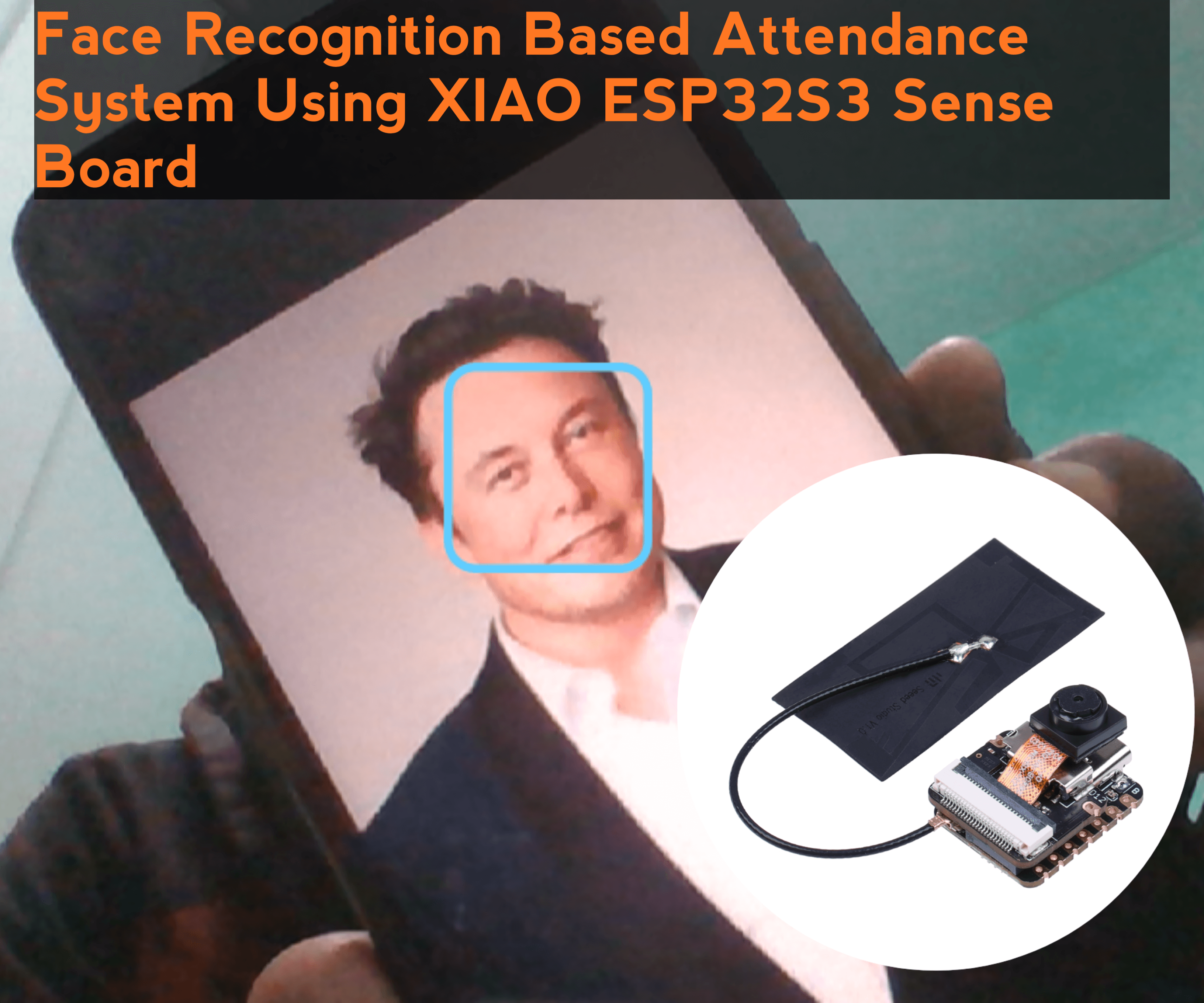 iot project
Face Recognition Based Attendance System Using XIAO ESP32S3 Sense Board
In this project, we will be using XIAO ESP32S3 Sense Board as our camera input and we will be using OpenCV & Visual Studio for the face detection and as the face is detected it will record the attendance with date and time in CSV file.
Read the full iot project tutorial: See Project Details iot project
How to Build a Desktop Companion Robot | ESP32 S3
Build a DIY Desktop Companion Robot with Seeed Studio XIAO ESP32-S3. Create animated eyes that react to PC activity like music and typing.
Read the full iot project tutorial: Follow Tutorial